Setup: Before you install
You need an active license first. Complete checkout on the store, then wait for the delivery email with your key and loader link.
Use a Windows 10 or 11 PC with Overwatch 2 installed through Battle.net or Steam. Close or disable other overlays that hook the game — Discord overlays, third-party capture tools, and old cheat loaders often conflict.
Keep your order confirmation and license key in one place. If delivery is delayed, read license delivery FAQ before you open a support ticket.
- Windows 10 / 11 (64-bit)
- Admin rights for the loader when prompted
- Stable internet for activation
- Official game install — Steam or Battle.net
Install and activate
Download the loader from your delivery email. Run it as administrator, paste the license key exactly as shown, and wait for activation to finish before starting the game.
Launch Overwatch 2 only after the loader reports a successful bind. If you patch the game or Blizzard Anti-Cheat, stop and read Status — playing on an outdated build after a major update is the most common setup mistake.
First time with the menu? Skim Features so you know which toggles map to ESP, aimbot, and hero scripts.
- Download loader from delivery email
- Run as admin and paste license key
- Confirm activation success in the loader
- Start Overwatch 2 from Battle.net or Steam
Tune overlays before ranked
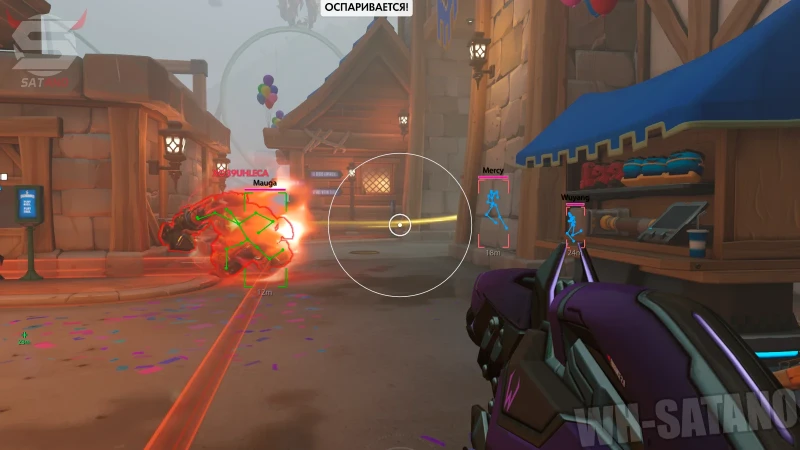
Open a Custom Game or practice range before Quick Play or Competitive. Enable ESP categories one at a time so the screen stays readable — skeleton, boxes, and ult markers do not all need to be on at once.
Set conservative aimbot FOV and smoothness first. Save a profile, then adjust using the aimbot guide and ESP guide if you want module-specific tips.
Use automatic config saving so your profiles survive restarts. Stream-proof mode is available if you capture gameplay — see Features for the full misc list.
Troubleshooting and support
Loader will not activate: verify the key, run as admin, and confirm your plan is still active. After a Overwatch 2 patch, wait for our Status note before retrying.
Game crash or black screen: disable other overlays, verify game files in Steam or Battle.net, then relaunch the loader once.
Still stuck? Email Support with your order ID, Windows version, and what step failed. Check contact support FAQ and where to check updates for faster answers.
- Status page after every patch
- FAQ hub
- Product overview
- Buy or renew